 NOHNAI
AI Draw 绘画提示词自动化工作台 · 用户指南AI Draw Prompt Automation Workbench · User Guide
把 ai-draw-cue-word-project v2.8 的提示词工程资产(角色锚点 · 五大家族语法 · 负面词库 · 渲染前检查 · 视频生成 · 3D 生成 · LoRA 管理 · 多角色空间 · 对话编辑链 · 分镜骨架 · 漫剧模式)变成可交互工具:填一次角色设定,按模型家族自动拼装提示词,渲染前逐项过关。Turn the ai-draw-cue-word-project v2.8 prompt engineering assets (character anchors · five syntax families · negative word bank · pre-render checklist · video generation · 3D generation · LoRA management · multi-character spatial relations · conversational edit chain · storyboard skeleton · comic mode) into interactive tools: fill in a character once, auto-assemble prompts per model family, and pass every check before rendering.
1. 产品简介1. Overview
工作台是一套提示词工程方法论的可交互实现,核心目标是解决跨模型角色一致性问题。以「角色锚点」作为跨模型一致性的根,按「角色锚点层 → 生成引擎层 → 质量保障层 → 输出适配层」四层架构组织。The workbench is an interactive implementation of a prompt-engineering methodology built to solve cross-model character consistency. Character anchors are the root of consistency, organized into four layers: anchor → generation engine → quality assurance → output adaptation.
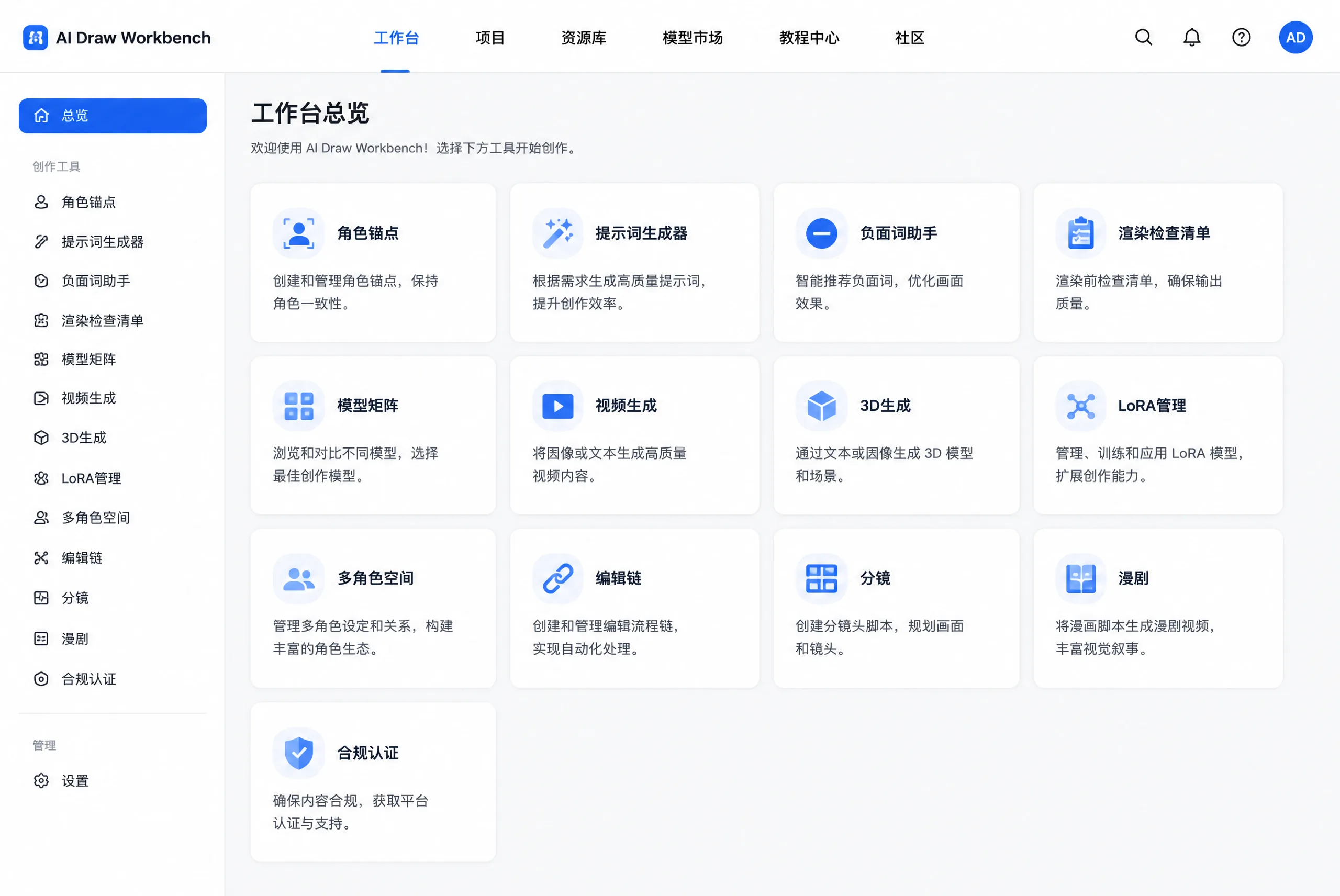
2. 快速上手2. Quick Start
构建角色锚点Build Anchor
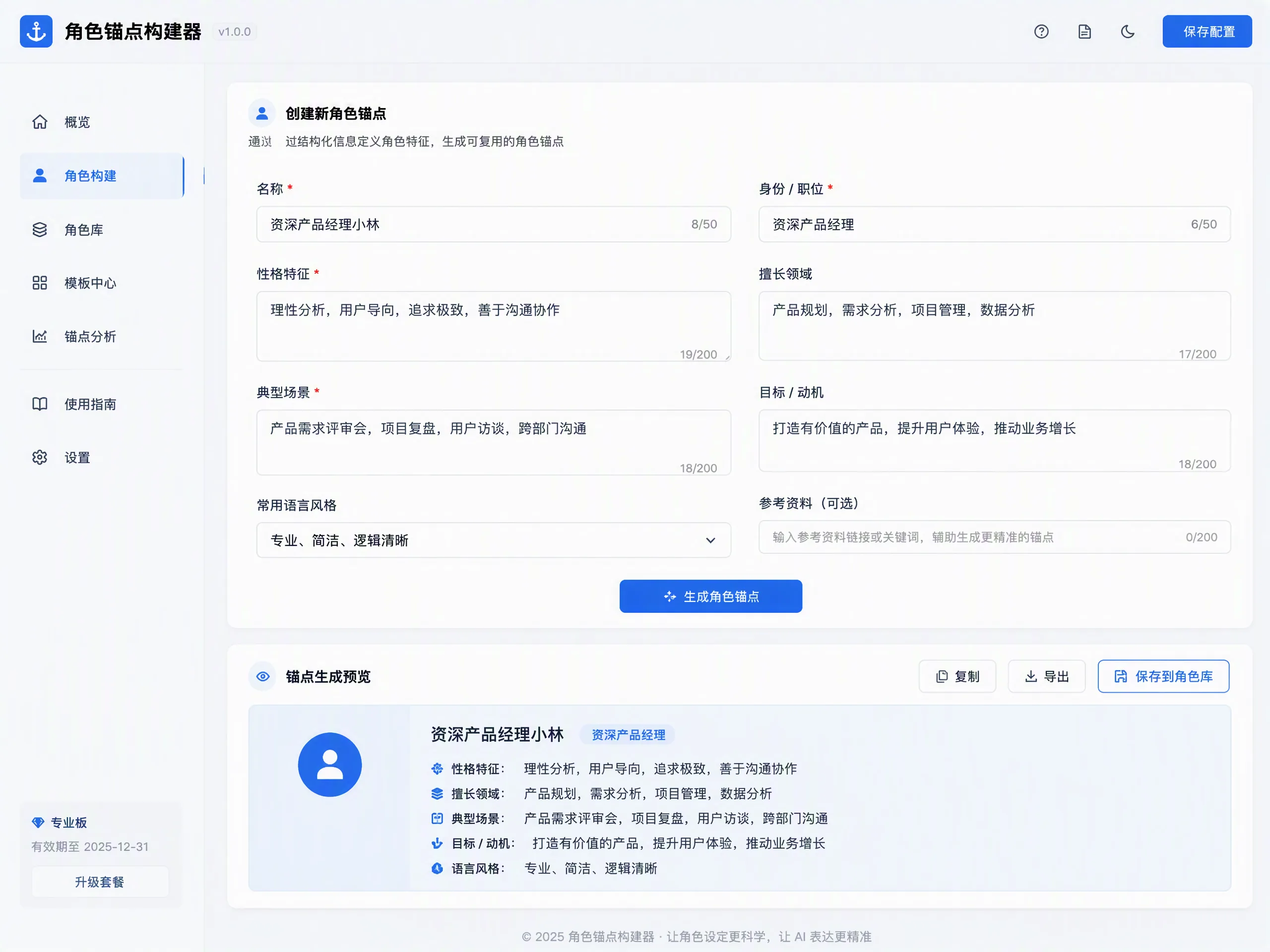
填写角色名、核心身份锚点(≥1.6)、气质标签(≥1.3)、配色与自然语言主描述,生成锚点卡。Fill in name, core identity (≥1.6), temperament (≥1.3), palette and main description; generate the anchor card.
选模型家族Pick Family
Flux / GPT-4o / Midjourney / Stable Diffusion / 国产 API,按家族语法自动拼装。Choose Flux / GPT-4o / Midjourney / Stable Diffusion / Chinese API; syntax is auto-assembled.
设置构图参数Set Composition
画幅比例、焦段、景别、机位、光线方向与类型、色温、构图、景深。Aspect, focal length, shot scale, camera angle, lighting, color temperature, composition, depth of field.
生成提示词Generate
自动权重拆分、生成提示词、复制 JSON。Auto weight split, generate prompt, copy JSON.
勾负面词Compile Negatives
从 9 大失败类别勾选,汇总负面词清单。Check failure categories and compile the negative prompt.
过渲染前检查Pass Checklist
13 项 P0–P2:P0 必须全过,P1 建议全过,P2 尽力满足,全部打勾后再渲染。13 P0–P2 checks: P0 must pass, P1 should pass, P2 best effort. Tick everything before rendering.
3. 核心机制3. Core Mechanics
3.1 角色锚点系统3.1 Character Anchor System
锚点是跨模型保持角色一致的根。权重规范:核心身份锚点 ≥1.6(最不可变,每场强制保留,禁止替换);核心气质标签 ≥1.3;自然语言主描述权重 0–2。Anchors are the root of cross-model consistency. Weight rules: core identity ≥1.6 (most immutable, kept every scene, never replaced); temperament tag ≥1.3; natural-language main description 0–2.
| 字段Field | 权重Weight | 约束Constraint |
|---|---|---|
| 核心身份锚点Core identity | ≥ 1.6 | 最不可变,保留于每场,禁止替换Most immutable; keep in every scene; never replace |
| 核心气质标签Temperament tag | ≥ 1.3 | 气质/性格锚定Temperament / personality anchoring |
| 自然语言主描述Main description | 0 – 2 | 自然语言描述,权重区间Natural-language description within range |
| 配色Palette | — | 主色 / 辅色 / 点缀色Primary / secondary / accent |
配套能力:企业 IP 锚点库(保存、复用企业 IP 角色锚点,JSON 导入/导出,团队共享预设)与 生成审计日志(自动记录所有提示词生成行为,记录不可手动删除,完整追溯链永久保留,满足企业溯源合规要求)。Companion features: the Enterprise IP Preset Library (save, reuse and share team presets via JSON import/export) and the Generation Audit Log (auto-logs every prompt generation; logs cannot be manually deleted, retaining a permanent traceability chain for compliance).
3.2 提示词生成器 · 五大家族语法3.2 Prompt Generator · Five Syntax Families
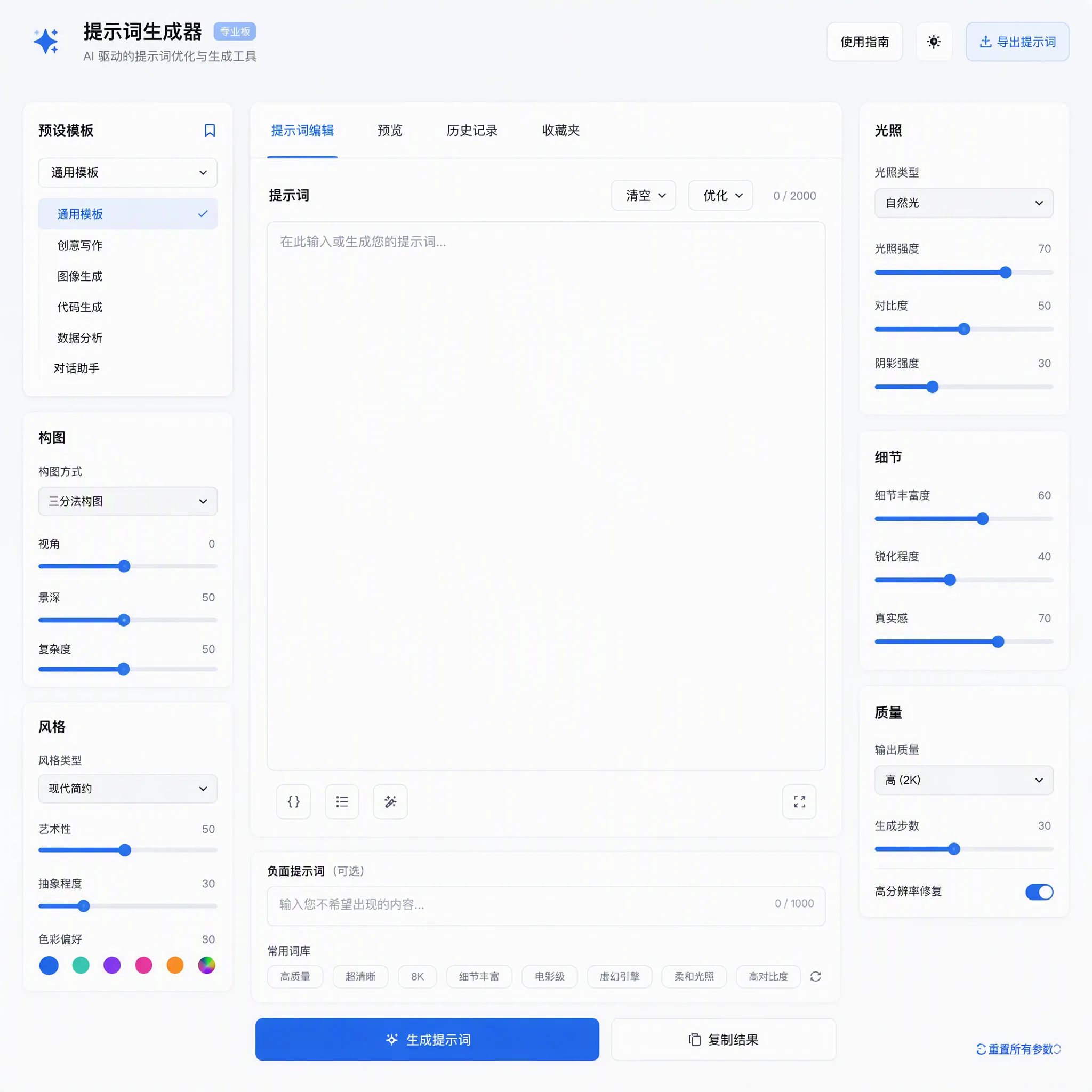
同一份角色设定 + 构图选择 → 按所选模型家族语法自动拼装;语法差异由引擎处理。Same character setup + composition choices → auto-assembled per family syntax; differences handled by the engine.
| 家族Family | 语法特征Syntax |
|---|---|
| Flux / DALL·E 3 / SD3 | 自然语言流,禁权重括号Natural language flow; no weight brackets |
| GPT-4o / Gemini | 对话式自然语言,可直接修正Conversational natural language; direct correction |
| Midjourney / Niji | 锚点前置 + 尾部参数Anchors first + trailing parameters |
| Stable Diffusion | 加权标签 (keyword:1.3)Weighted tags (keyword:1.3) |
| 国产 API 家族Chinese API family | 中文段落Chinese paragraphs |
构图参数面板覆盖:画幅比例(1:1 / 3:4 / 4:3 / 16:9 / 9:16)、镜头焦段(35 / 50 / 85mm)、景别(特写 / 近景 / 中景 / 全景 / 远景)、机位角度(仰拍 / 平视 / 俯拍…)、光线方向(顺光 / 侧光 / 逆光 / 轮廓光 / 三点布光…)、光线类型与氛围、灯光强度、色温(2700K 暖黄 ~ 8000K 冷蓝)、构图类型(三分法 / 黄金螺旋 / 对称…)、景深、前景层(权重 0.5–0.8)与背景。The composition panel covers: aspect ratio (1:1 / 3:4 / 4:3 / 16:9 / 9:16), focal length (35/50/85mm), shot scale (close-up / medium / full / wide), camera angle (low / eye / high), light direction (front / side / rim / three-point), light type & mood, intensity, color temperature (2700K warm to 8000K cold), composition (rule of thirds / golden spiral / symmetry), depth of field, foreground layer (weight 0.5–0.8) and background.
「自动权重拆分」会根据角色层级自动分配前景 / 主体 / 背景权重;「提示词历史版本」支持选两条记录对比、一键导出。Auto Weight Split assigns foreground/subject/background weights by character hierarchy; Prompt History lets you compare two records and export.
3.3 负面词助手3.3 Negative-Word Bank Assistant
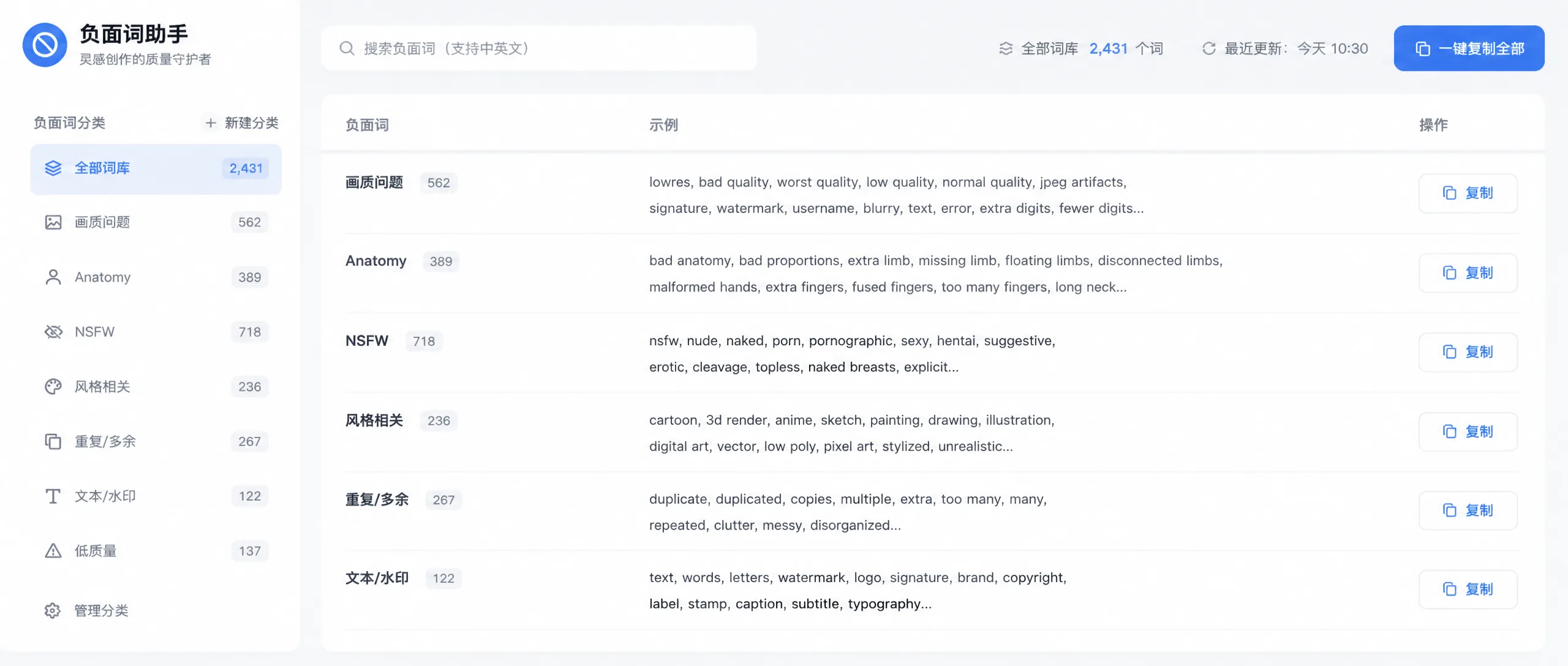
9 大失败类别逐项勾选 → 自动汇总负面词清单。每类自带推荐权重与「失败 → 修复」指引。Check any of the 9 failure categories and the assistant compiles a negative prompt list. Each category carries a recommended weight and a fail→fix guide.
| № | 失败类别Category | 典型失败Typical failure |
|---|---|---|
| 1 | 特质冲突Trait conflict | 特征互相矛盾Contradictory features |
| 2 | 比例变形Proportion distortion | 肢体 / 手部比例错误Limb / hand proportion errors |
| 3 | 气质冲突Temperament conflict | 气质标签被稀释Temperament diluted |
| 4 | 服装错位Outfit mismatch | 服装细节漂移Outfit detail drift |
| 5 | 场景冲突Scene conflict | 场景元素不一致Inconsistent scene elements |
| 6 | 配色冲突Palette conflict | 主 / 辅色错乱Primary/secondary colors off |
| 7 | 质量问题Quality issues | 模糊、噪点、伪影Blur, noise, artifacts |
| 8 | 光影错误Lighting errors | 光源方向矛盾Contradictory light direction |
| 9 | 手部细节Hand details | 手指数量 / 结构错误Finger count / structure errors |
模型适配要点:SD 用长负面词框;MJ 用 --no 且限 4–6 个短词。Model adaptation: SD uses long negative prompts; MJ uses --no with 4–6 short words.
3.4 渲染前检查清单3.4 Pre-Render Checklist
13 项 P0–P2 验证:P0 必须全过,P1 建议全过,P2 尽力满足。全部打勾后再点生成。13 P0–P2 checks: P0 must all pass, P1 should all pass, P2 best effort. Tick everything before generating.
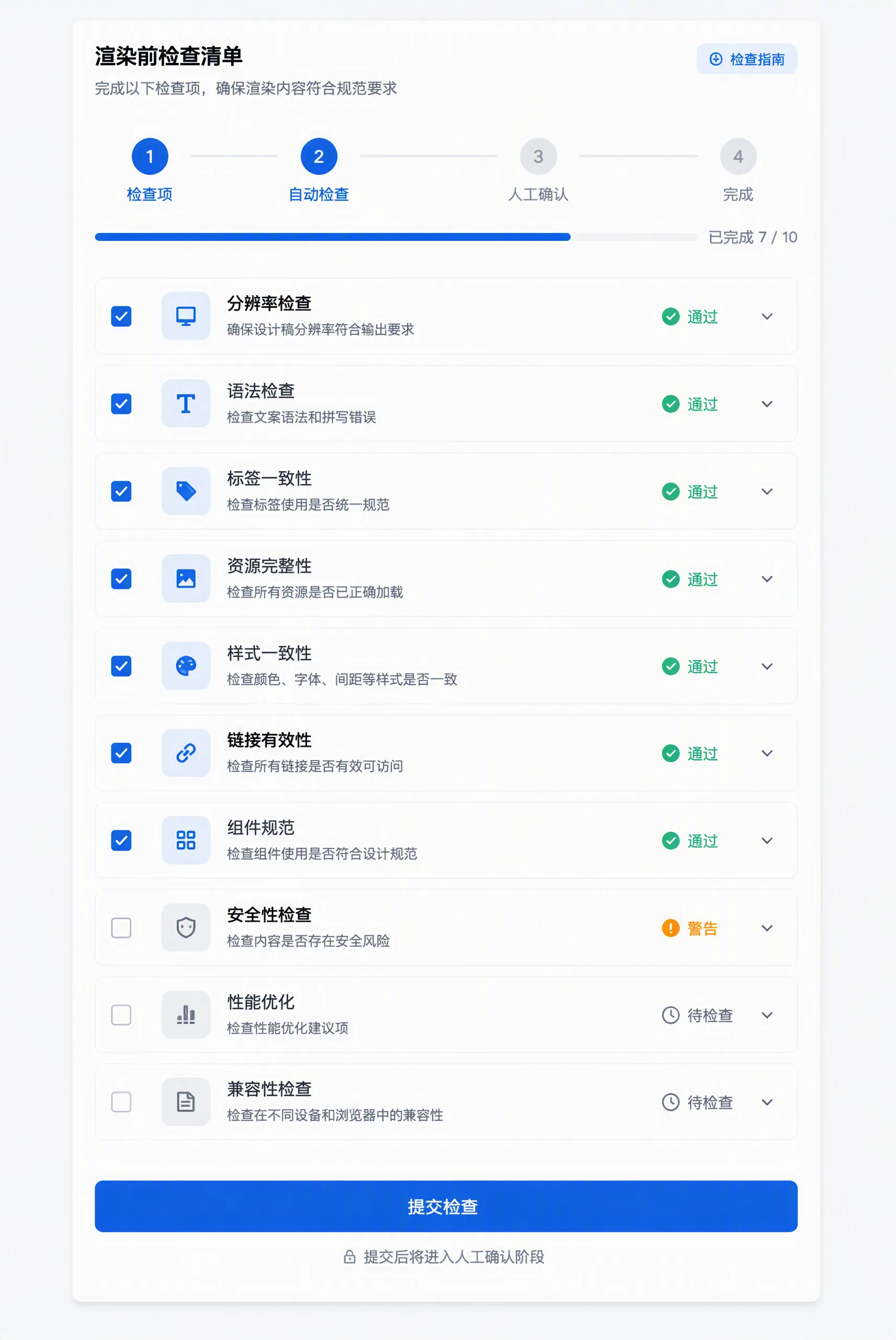
| 级别Tier | 检查项Checks |
|---|---|
| P0 | ① 身份锚点保留(权重 ≥1.6)② 核心特征保留(脸/发型/服装 ≥1.3)③ 锚点描述逐字复用 ④ 负面词覆盖① identity anchor kept (≥1.6) ② core features kept (face/hair/outfit ≥1.3) ③ anchor verbatim ④ negatives cover |
| P1 | 参考图开启、气质匹配、权重合规(主描述 0–2)、比例参数合规、无配色冲突、光影一致Reference on, temperament match, weight range (0–2), aspect OK, no palette conflict, consistent lighting |
| P2 | 层叠正确(前中背景无错位)、留白合规Depth layering correct, whitespace compliant |
3.5 模型能力矩阵3.5 Model Capability Matrix
同一功能在四大模型家族的实现差异——选模型前先看这里,避免用错语法。How the same capability differs across the four model families — check here before choosing a model.
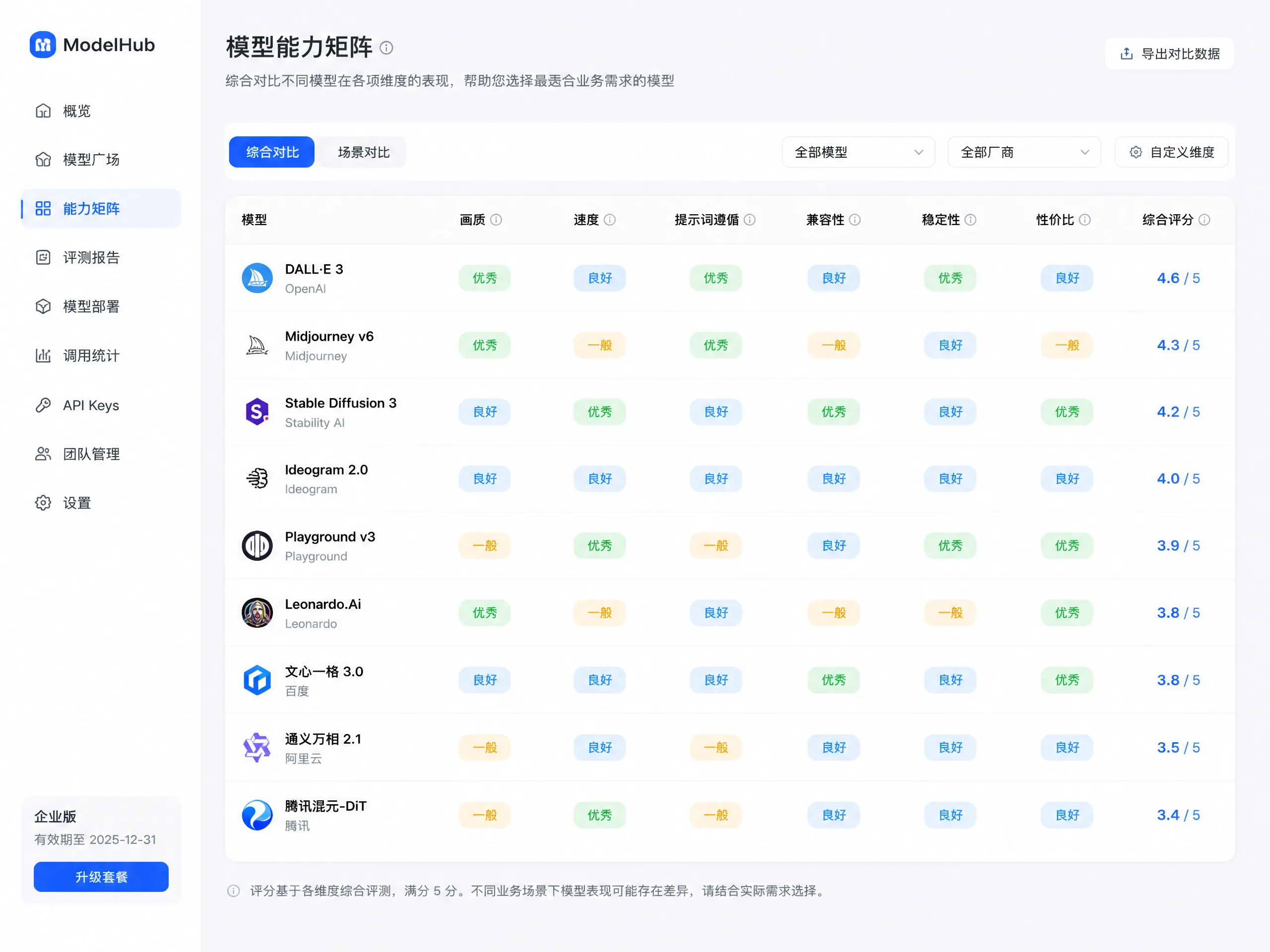
| 能力Capability | MJ / Niji | Stable Diffusion | 自然语言族NL family | 国产 API 族Chinese API |
|---|---|---|---|---|
| 字符参考Char reference | --cref | LoRA | GPT-4o/Gemini 原生参考;Flux 用 Kontext;DALL·E 3 无角色参考GPT-4o/Gemini native; Flux Kontext; DALL·E 3 none | 原生图 / 参考Native image reference |
| 风格参考Style reference | --sref | LoRA | 描述Description | 参考图Reference image |
| 负面排除Negative exclusion | --no 4–6 词 | 长负面词框Long negative | 自然语言否定Natural-language negation | 负面词段Negative segment |
| 迭代修复Iterative fix | 变体 / 重rollVariations / reroll | 重绘Inpaint | 对话修正Conversational fix | 局部重绘Local redraw |
3.6 视频生成提示词3.6 Video Generation Prompts
6 大视频模型语法对照 + 通用红线。交互式生成器:选模型 → 填主体 / 动作 / 场景 / 镜头 → 自动拼装。Six video-model syntax comparisons plus universal red lines. Interactive generator: pick model → fill subject / action / scene / camera → auto-assemble.
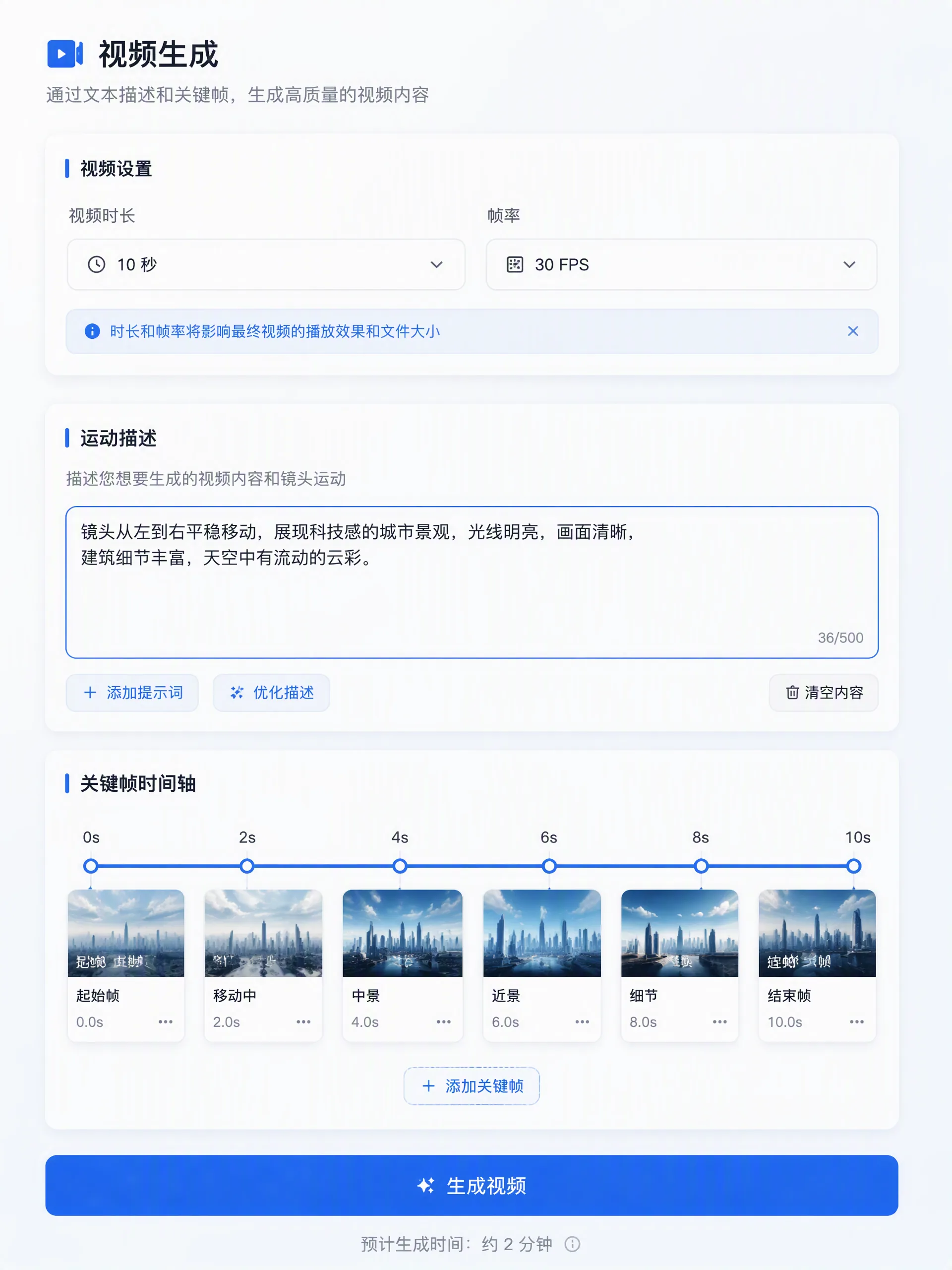
| 模型Model | 适用场景Use case | 一致性策略Consistency |
|---|---|---|
| Sora (OpenAI) | 高保真物理High-fidelity physics | 锚点句冻结Frozen anchor |
| Kling(快手) | 国产生态Domestic ecosystem | 锚点句冻结Frozen anchor |
| Runway Gen-3 | 电影级镜头Cinematic shots | 单方向镜头Single-direction camera |
| Pika 1.5 | 轻量快速Light & fast | 禁止换装No outfit change |
| 国产 API(即梦 / 通义)Chinese API (Jimeng / Tongyi) | 中文语义Chinese semantics | 段落式拼装Paragraph assembly |
3.7 3D 生成矩阵3.7 3D Generation Matrix
6 款 3D 模型输入输出与角色一致性对照。多视角参考锁定 360 度身份,单视角仅锁正面。Six 3D models; input-output and character-consistency comparison. Multi-view references lock 360° identity; single view locks the front only.
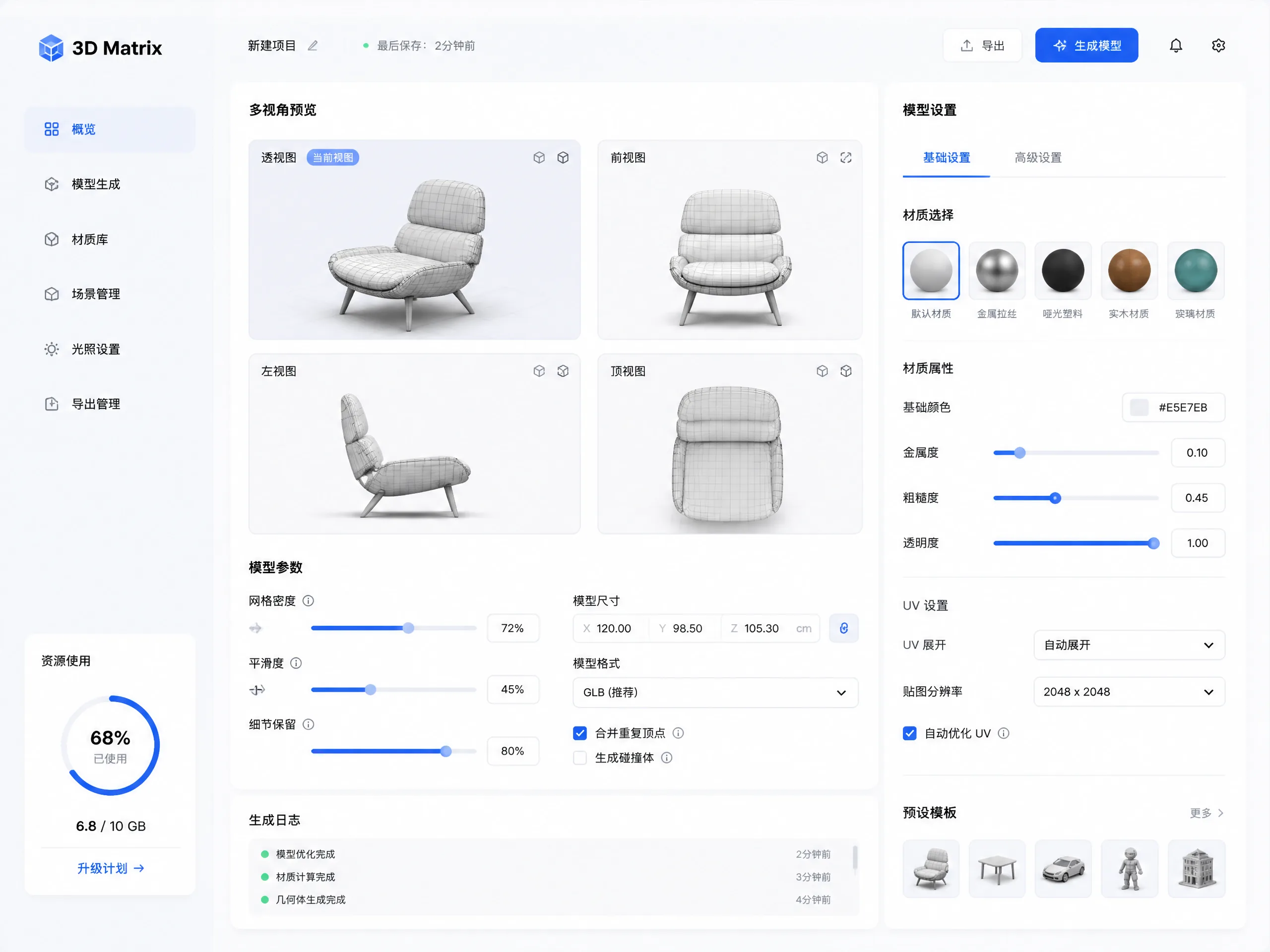
| 要点Key point | 说明Detail |
|---|---|
| 典型输入Typical input | 文本描述 / 参考图Text description / reference image |
| 典型输出Typical output | GLB / 网格模型GLB / mesh models |
| 角色一致性Character consistency | 多视角 → 360°;单视角 → 仅正面Multi-view → 360°; single-view → front only |
| 评估维度Evaluation | 纹理 · 拓扑质量 · 一致性 · 最佳用途 · 局限Texture · topology · consistency · best use · limitations |
3.8 LoRA 管理矩阵3.8 LoRA Management Matrix
5 种 LoRA 类型 + 堆叠规则 + 与权重系统交互。单 LoRA >1.0 致伪影,总权重 >2.0 致模型失稳。Five LoRA types plus stacking rules and weight-system interaction. Single LoRA >1.0 causes artifacts; total weight >2.0 destabilizes the model.
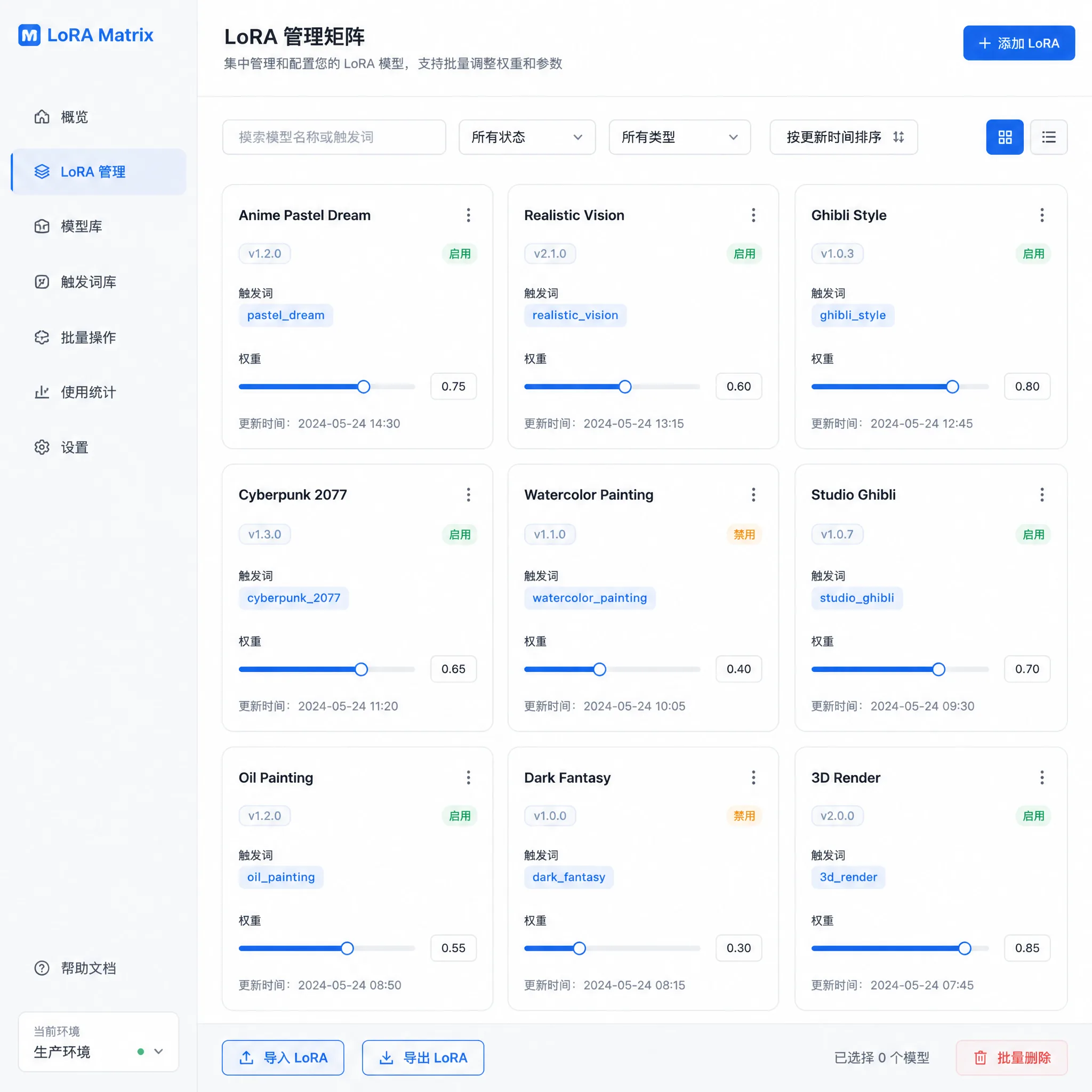
| 类型Type | 权重范围Weight range | 用途Purpose |
|---|---|---|
| Character | 0.6 – 0.9 | 角色一致性Character consistency |
| Style | 0.4 – 0.7 | 画风Art style |
| Outfit | 0.5 – 0.8 | 服装Outfit |
| Concept | 0.3 – 0.6 | 概念元素Concept elements |
| Background | 0.3 – 0.5 | 背景风格Background style |
3.9 多角色空间关系3.9 Multi-Character Spatial Relations
3+ 角色场景的空间排布、深度分层、视线链、遮挡规则、比例透视。三角排布最稳;禁面部遮挡。Spatial layout, depth layering, gaze chains, occlusion rules, and proportion perspective for scenes with 3+ characters. Triangular layout is most stable; never occlude faces.
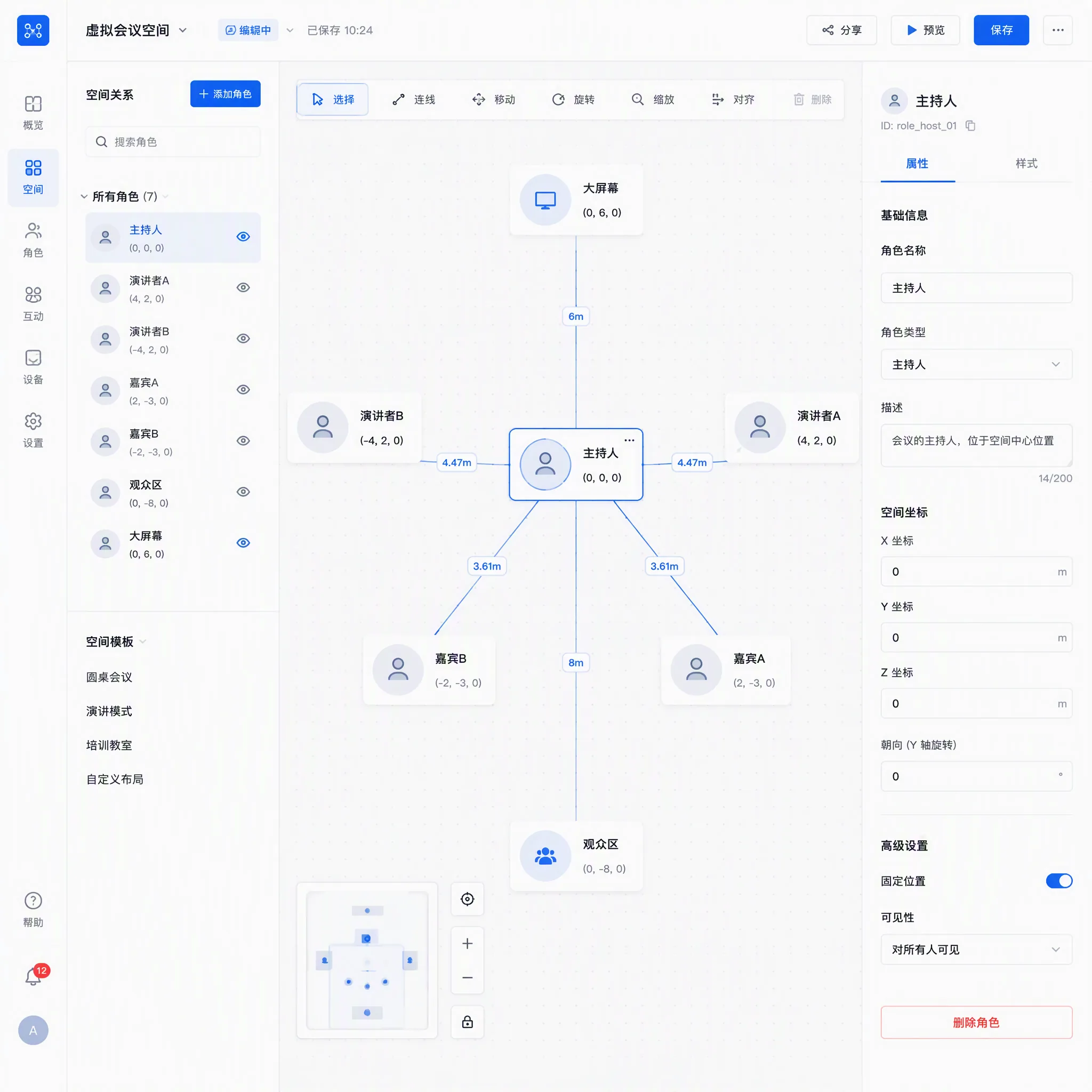
- 排布Layout:三角 / 弧形 / 自由排布Triangular, arc, free-form
- 深度分层权重Depth weights:前景 1.2–1.4 / 中景 1.0–1.2 / 背景 0.7–0.9Front 1.2–1.4 / mid 1.0–1.2 / back 0.7–0.9
- 视线链Gaze chains:单向,指向明确Unidirectional, clear target
- 比例透视Proportion:近大远小容差 ≤10%Perspective tolerance ≤10%
- 光照Lighting:优先单光源Prefer a single light source
3.10 对话式编辑链(仅 GPT-4o / Gemini)3.10 Conversational Edit Chain (GPT-4o / Gemini only)
逐轮单点修正:每轮只改一个元素,锚点句全程冻结。3 轮连续修正失败 → 退出对话,从 Round 1 重新生成。Per-round single-point fix: change one element per round, anchor sentence frozen throughout. 3 consecutive failures → exit and regenerate from Round 1.
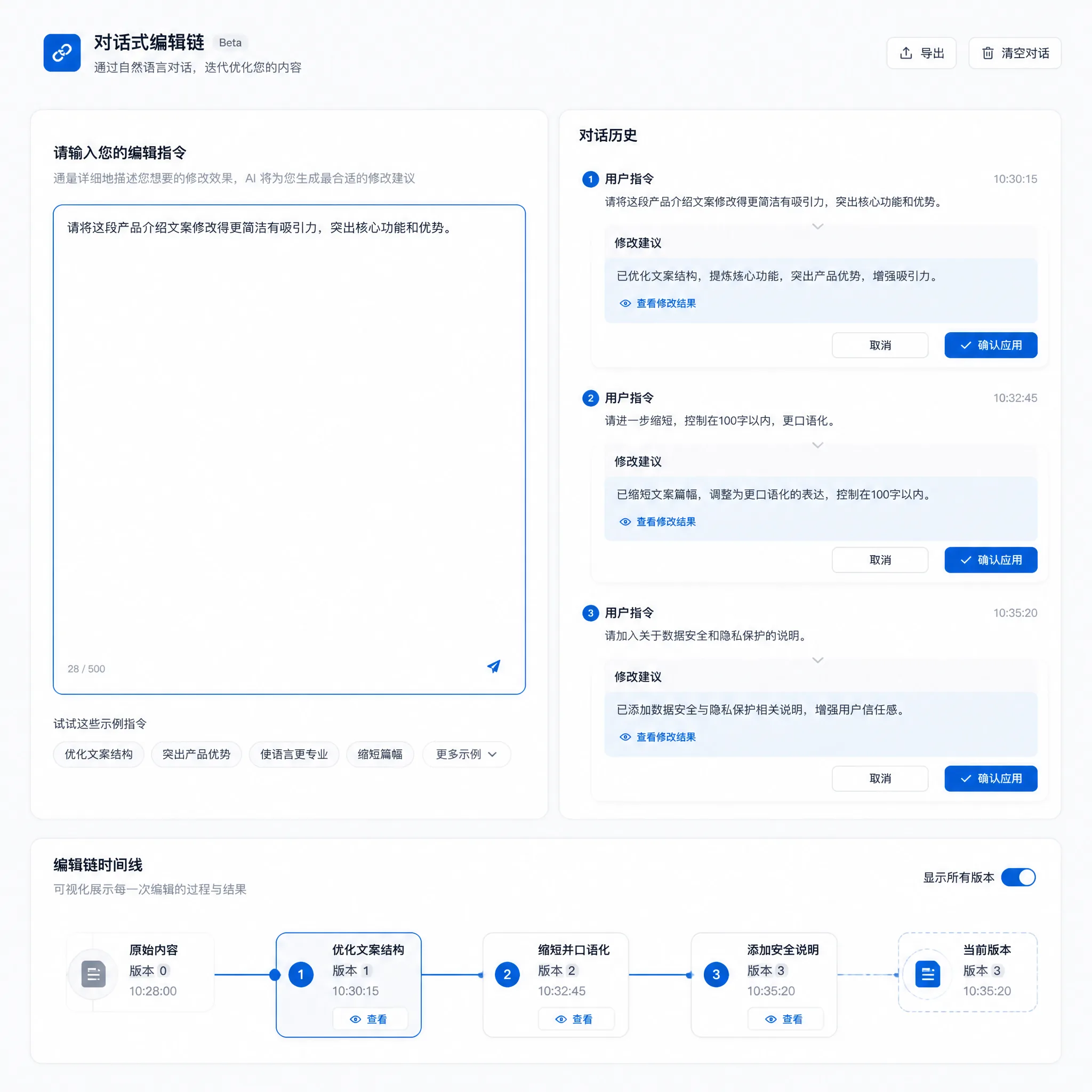
| 轮次Round | 动作Action |
|---|---|
| Round 1 | 完整描述(锚点句逐字)Full description (anchor verbatim) |
| Round 2–5 | 单点修正(特征 / 比例 / 手肢 / 场景)Single-point fix (features / proportion / hands / scene) |
| Round 6+ | 精修Fine polish |
3.11 分镜骨架模板3.11 Storyboard Skeleton Template
10 种面板角色 + 3 条镜头连续性规则 + 4 种页面排版。每行含提示词拼装规则、连续性检查项、常见失败。用户只填故事和对话,工具出结构、出提示词、出布局。Ten panel roles + three camera-continuity rules + four page layouts. Each row provides prompt assembly rules, continuity checks and common failures. You fill story and dialogue; the tool outputs structure, prompts and layout.
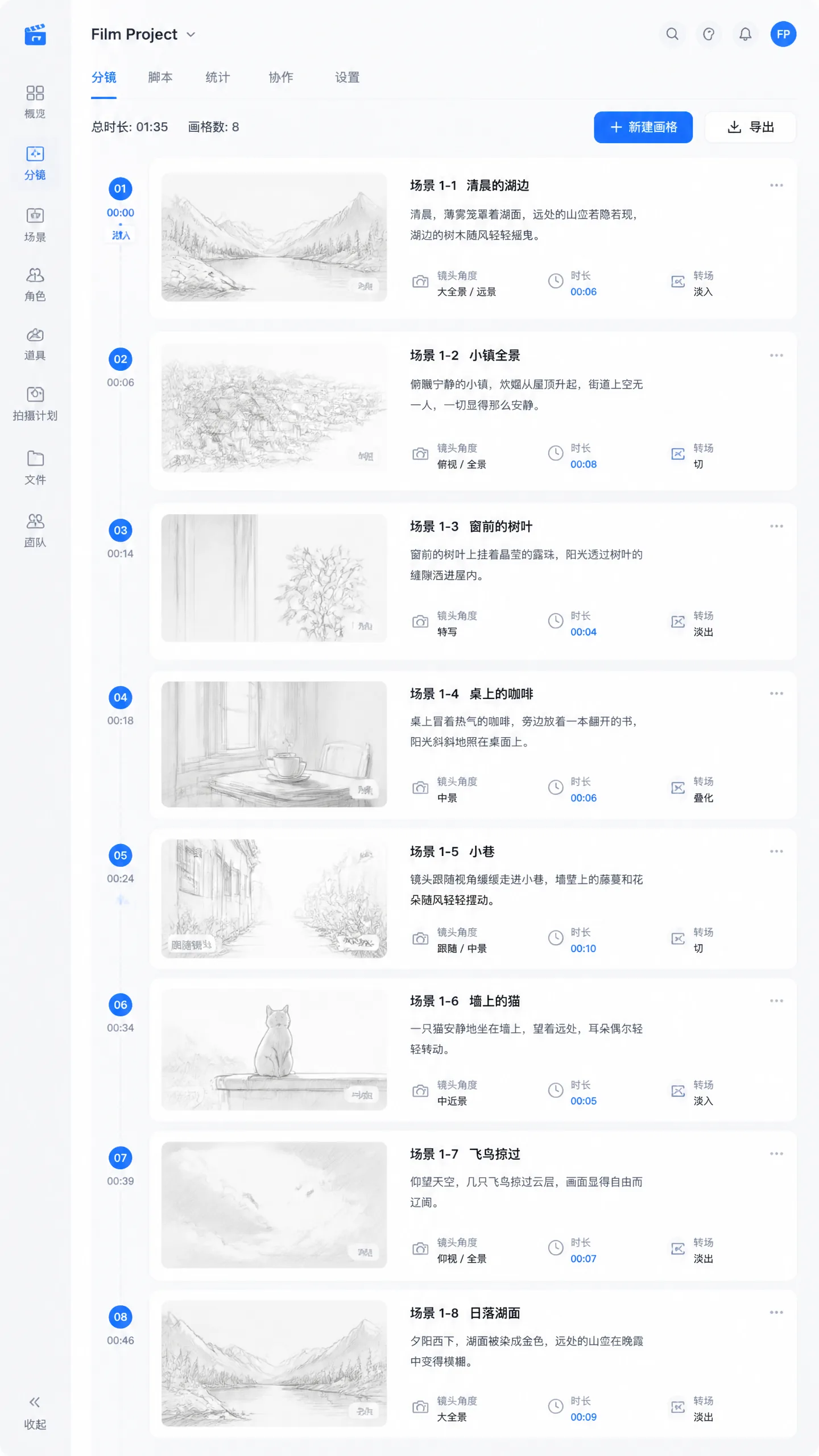
- 10 种面板角色:定场、对话过肩、动作特写、情绪大特、高潮跨页、登场、反打、反应、转场、收束。Ten panel roles: establishing, over-shoulder dialogue, action close-up, emotional close-up, climactic spread, entrance, reverse shot, reaction, transition, coda.
- 3 条镜头连续性:180° 轴线规则、30° 机位夹角、视线链一致。Three continuity rules: 180° axis, 30° camera angle, consistent gaze chains.
- 4 种页面排版:网格、跨页、条带、条漫式。Four page layouts: grid, spread, strip, webtoon.
3.12 漫剧模式(v2.8)3.12 Comic Mode (v2.8)
漫剧工作流闭环:面板排布规则 · 对话气泡定位 · 逐帧时序一致性验收。填故事 → 出布局 → 出气泡 → 出验收清单。The closed-loop comic workflow: panel layout rules · dialogue bubble positioning · per-frame temporal consistency validation. Fill story → layout → bubbles → validation checklist.
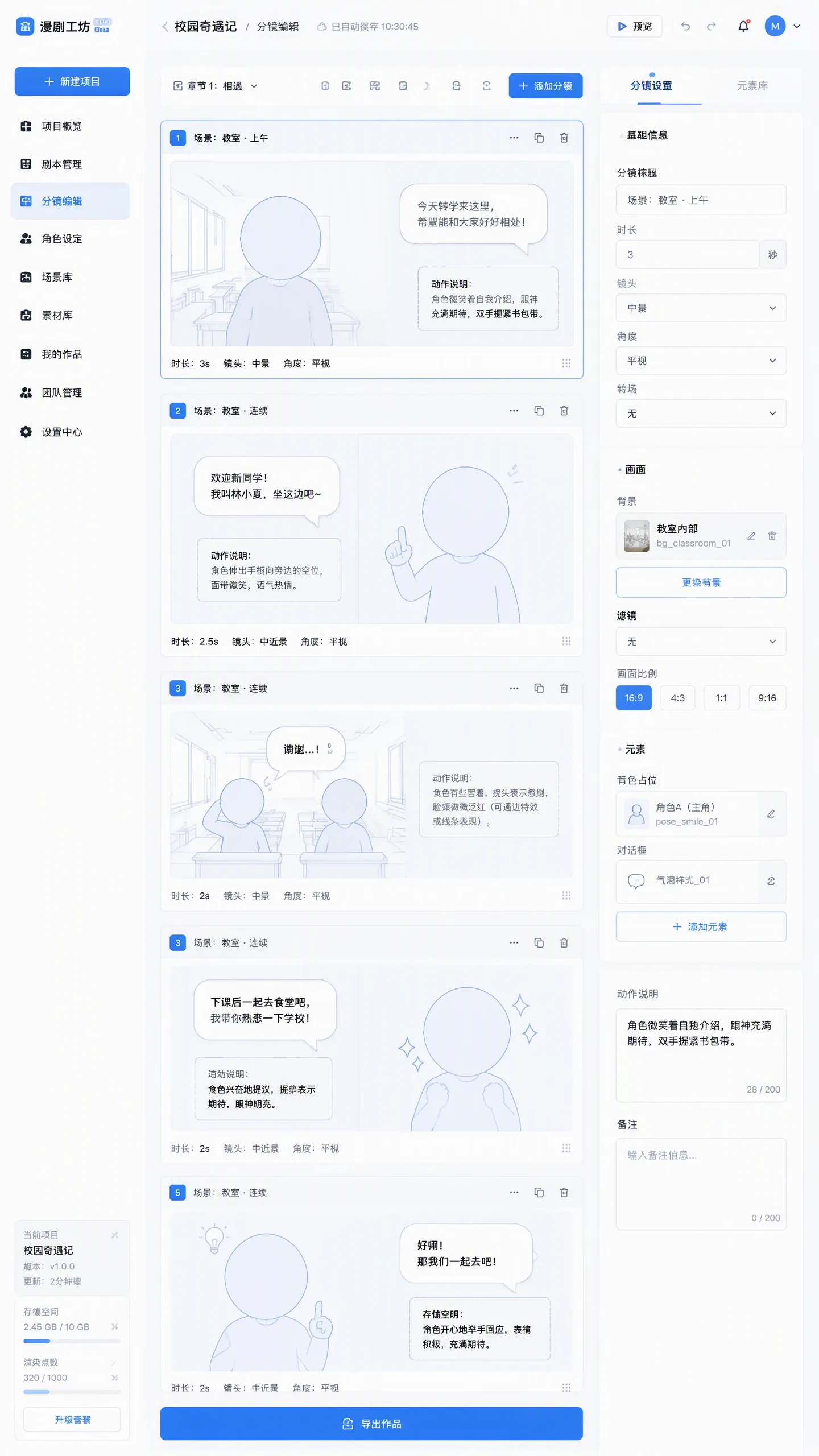
- 故事导入:拖拽 Word / TXT(.docx · .txt)自动解析故事内容。Story import: drag in Word / TXT (.docx · .txt) for auto-parsing.
- 排版类型:4 格 / 6 格 / 电影条带 / 跨页 / 条漫。Layouts: 4-panel, 6-panel, cinematic strip, spread, webtoon.
- 画幅:Portrait A4 / B5 / 16:9 / 1080px 竖版。Aspect: Portrait A4 / B5 / 16:9 / 1080px vertical.
- 输出:面板排布 + 气泡定位 + 时序验收清单,全部可复制。Output: panel layout + bubble positions + temporal validation checklist; all copyable.
3.13 SPL 合规认证3.13 SPL Compliance Certification
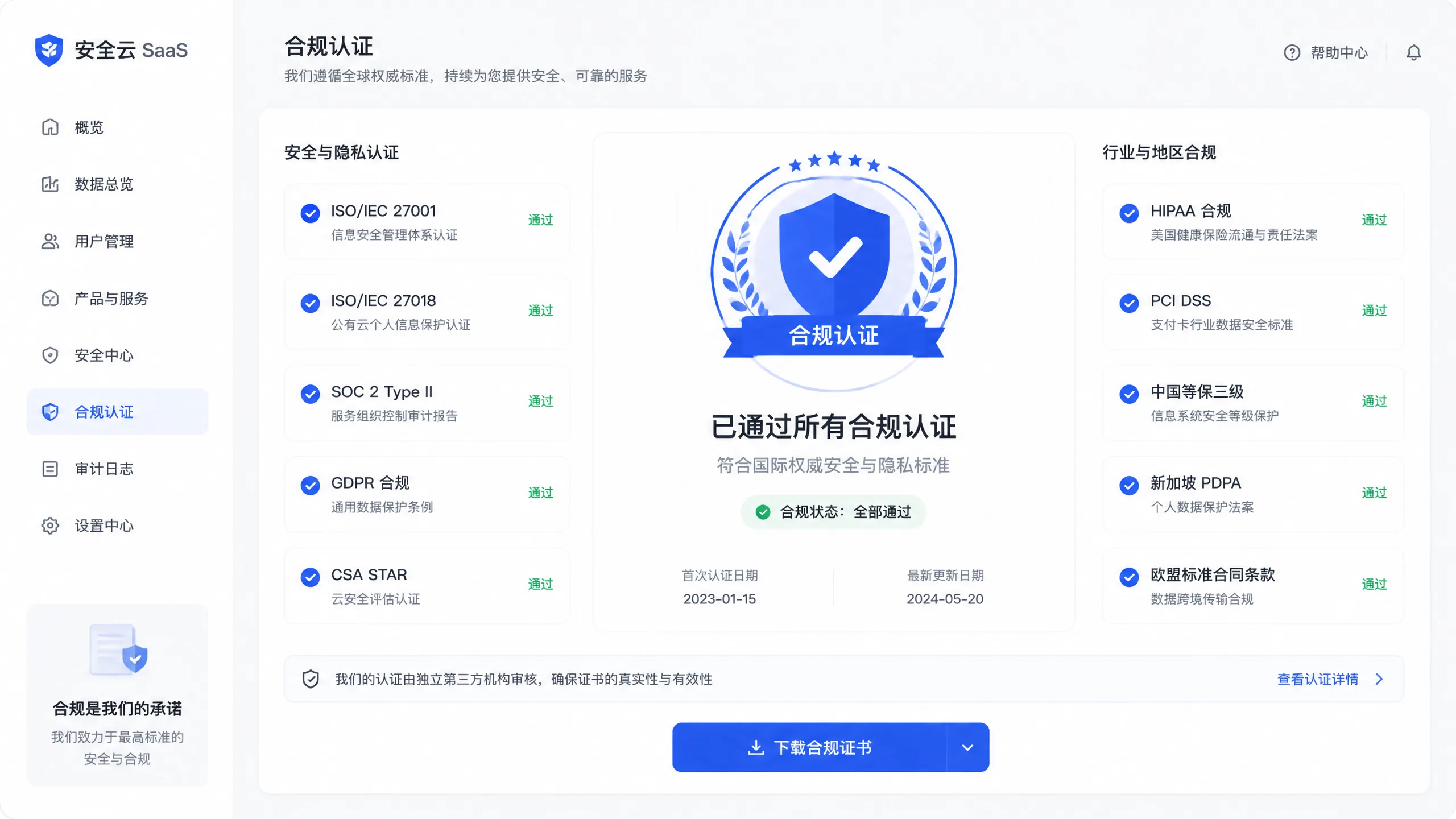
面向集成商与提示词工具厂商——证明你的产品遵循 SPL Prompt Specification 标准,可在产品上展示认证徽章。For integrators and prompt-tool vendors: prove your product follows the SPL Prompt Specification and display the certification badge.
| 项目Item | 内容Detail |
|---|---|
| 认证对象Target | 集成提示词生成工具、生图平台、AI 工作流管线的软件厂商及服务商Vendors integrating prompt generators, image platforms or AI pipelines |
| 认证内容Scope | 角色锚点权重体系、五家族语法特性、P0–P2 检查清单的兼容性验证Anchor weight system, five-family syntax, P0–P2 checklist compatibility |
| 认证权益Benefits | 展示 SPL 合规徽章、列入官方认证列表、标准更新优先知会Badge, official certification directory, priority standard updates |
| 认证费用Fee | $500 / 年 / 产品year / product |
| 流程Process | 提交申请 → 技术审核 → 合规验证 → 发放徽章Apply → review → validation → badge issued |
3.14 数据安全3.14 Data Security
4. 批量工具4. Batch Tools
面向下游管线的生产级工具:Production-grade tools for downstream pipelines:
| 工具Tool | 说明Description |
|---|---|
| 批量导出Batch Export | 基于当前锚点一次性生成多模型提示词,导出 CSV 直接用于下游管线Generate multi-model prompts from the current anchor and export CSV |
| 图转提示词Image to Prompt | 上传参考图自动分析主色调 / 配色 / 亮度 / 光线 / 构图 / 氛围,填入锚点Upload a reference image; auto-analyze palette / lighting / composition / mood into the anchor |
| 批量变体生成Batch Variations | 基于当前锚点与构图设置生成 4 / 8 / 12 / 20 个变体,一键导出 CSVGenerate 4/8/12/20 variant prompts and export CSV |
| 自由分镜编辑器Free Storyboard Editor | 自定义分镜数量,每镜独立设置镜头 / 打光 / 构图,支持故事导入、分镜重排、批量导出全系列提示词Custom shot count; per-shot camera / lighting / composition; story import, reordering, batch export |
5. 常见问题5. FAQ
Q1:为什么锚点句必须全程冻结?Q1: Why must anchor sentences stay frozen?
锚点是跨模型一致性的根;同义改写会改变权重分布与语义锚定,导致不同模型渲染出不一致的角色。逐字复用才能保证可复现。Anchors are the root of cross-model consistency; paraphrasing shifts weight distribution and semantic anchoring, producing inconsistent characters. Verbatim reuse keeps outcomes reproducible.
Q2:负面词和检查清单怎么配合?Q2: How do negatives and the checklist work together?
负面词预防「已知失败模式」,检查清单验证「渲染前条件」。顺序:先按 9 类勾选负面词,再逐项过 13 项 P0–P2,全部通过后再渲染。Negatives prevent known failure modes; the checklist validates pre-render conditions. Order: compile negatives from the 9 categories, then walk the 13 P0–P2 checks, then render.
Q3:Midjourney 的负面词为什么只能 4–6 个?Q3: Why only 4–6 negative words in Midjourney?
MJ 的 --no 参数短词效果最佳;过长会降低正向提示词的权重响应。SD 等模型则适合长负面词框。MJ’s --no works best with short words; longer lists dilute positive-weight response. SD-style models prefer long negative prompts.
Q4:LoRA 权重有上限吗?Q4: Is there a LoRA weight cap?
有。单 LoRA >1.0 会致伪影;多 LoRA 总权重 >2.0 会致模型失稳。推荐区间见 3.8 节矩阵。Yes. Single LoRA >1.0 causes artifacts; combined weight >2.0 destabilizes the model. See the §3.8 ranges.
Q5:这个帮助文档为什么是站内 HTML?Q5: Why is this guide now an in-site HTML page?
原帮助文档托管在腾讯文档(海外访问受限)。本页为自包含单文件,覆盖 v2.8 全部主题,全球任何地区均可直接访问,无需登录。The previous guide lived on Tencent Docs, which is restricted overseas. This self-contained single-file page covers all v2.8 topics and is directly accessible from any region without login.
6. 术语表6. Glossary
| 术语Term | 说明Definition |
|---|---|
| 角色锚点Character anchor | 跨模型保持角色一致的根:身份 / 气质 / 主描述三段式The root of cross-model consistency: identity / temperament / description |
| 锚点句冻结Frozen anchor | 锚点文本在生成、编辑与跨模型复用中逐字不变Anchor text stays verbatim across generation, edits and models |
| 五大家族Five families | Flux / GPT-4o / Midjourney / Stable Diffusion / 国产 APIFlux / GPT-4o / Midjourney / Stable Diffusion / Chinese API |
| 权重拆分Weight split | 按角色层级自动分配前景 / 主体 / 背景权重Auto weight assignment by character hierarchy |
| P0–P2P0–P2 | 检查项分级:P0 必须全过 / P1 建议全过 / P2 尽力满足Check tiers: P0 must / P1 should / P2 best effort |
| 漫剧模式Comic mode | 故事 → 面板排布 → 气泡定位 → 时序验收的闭环工作流Story → panel layout → bubble placement → temporal validation |
| SPL 合规认证SPL certification | NOHN Prompt Specification 标准兼容性认证与徽章NOHN Prompt Specification compatibility certification and badge |